Bakery Automation on WhatsApp and Messenger with n8n

Bakery Automation on WhatsApp and Messenger: Who Needs It and Who Doesn't
The cake order that arrived at 10:15 p.m.
A customer messages a bakery asking for a chocolate cake this Saturday evening. The owner is cleaning the ovens and counting the day's sales. She'll reply in the morning.
By morning, the customer has ordered from the bakery down the road.
Nothing went wrong at the bakery. The cakes were good. The owner was just busy baking. And the story has a second half that most shops miss: a week after a happy customer picks up an order, nobody asks them how it was, so a good Google review never gets written.
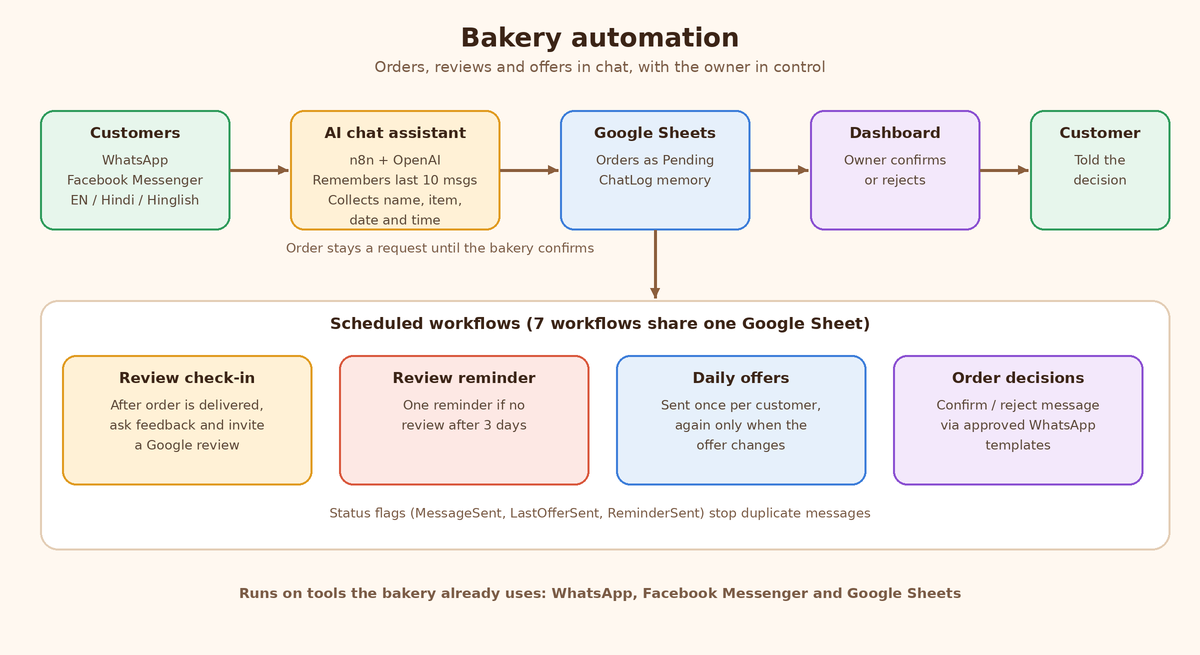
We built Bakery Automation, an n8n workflow for a bakery that covers both ends. It answers order messages on WhatsApp and Messenger at any hour, passes each order to the bakery for approval, and asks for feedback after delivery. It is a simple flow. But it raises a question worth answering properly: which businesses should hand orders and review requests to AI, and which shouldn't?
Why the first reply and the follow-up both matter
Someone who messages a shop is usually comparing a few options at the same moment. A quick, useful reply often wins the order. And once the order is done, a short, friendly follow-up is the easiest way to turn a happy customer into a visible review.
Both jobs are small and repetitive. Both depend on someone remembering at the right moment. That is exactly the kind of work that slips when a shop gets busy.
What the workflow actually does
Forget the chatbot that says "Sorry, I didn't understand that." This workflow does a small number of things well. It runs as several connected parts, all using a Google Sheet as the shared record.
| Part | What it does |
|---|---|
| 1. Chat replies | Answers WhatsApp and Messenger messages in the customer's language (English or Hindi/Hinglish), using the last 10 messages as memory |
| 2. Order capture | Asks only for what is missing: name, item, date and time. Then saves the request to the New Orders sheet as Pending |
| 3. Bakery approval | A dashboard lists the orders. The bakery confirms or rejects, the sheet is updated and the customer gets a message |
| 4. Delivery check | Every 30 minutes, orders marked Delivered move into the review list |
| 5. Review check-in | Every 30 minutes, new customers get a friendly message asking how the order was |
| 6. Review request | The AI asks for feedback, then shares the Google review link with a 10% discount offer. Unhappy customers get an apology instead of a sales pitch |
| 7. One reminder | Every morning at 9, customers who got the check-in 3 or more days ago and have not reviewed get one reminder |
| 8. Offers | Every morning at 7, a new offer typed in the sheet is sent once to each customer |
One rule matters more than the rest: an order the AI collects is only a request. The assistant never tells a customer that an order is confirmed, or asks them to come to the shop, until the bakery has approved it.
An assistant isn't there to replace the baker. It's there so the baker walks into a conversation where the order details are already complete.
Who should use it
This kind of workflow works best when your orders and questions look alike. These are the businesses where we'd say yes.
1. Businesses where the same questions come up every day
Bakeries, sweet shops, caterers, florists, tiffin services. If you've typed "Chocolate cake is Rs.500" fifty times this month, an assistant can do it for you.
2. Businesses where the owner is also the one doing the work
If replying means putting down the whisk or leaving the counter, you're losing orders to your own workload.
3. Businesses that get messages outside working hours
Evenings, weekends, early mornings. This is when many customers decide, and when many messages wait.
4. Businesses that want more reviews but never get round to asking
If your customers are happy but your Google profile doesn't show it, an automatic check-in does the asking for you.
When it makes sense
Timing matters as much as business type. It's usually a good moment when:
- Enough messages come in that some are slipping through.
- Your menu, prices and pickup rules are clear and written down.
- You have a WhatsApp Business account, and a Facebook Page if you want Messenger too.
- Someone on your team can open the dashboard and confirm or reject orders the same day.
If you're not yet getting regular orders, fix that first. Automation can't create demand. It only stops you wasting what you already have.
Who should not use it (yet)
We'd rather tell you this now than after you've spent money.
1. Businesses where every order is custom and high-stakes
Wedding cakes, large event catering, anything where the first conversation needs real judgement about design, price and timing. An assistant can still log the enquiry, but it shouldn't lead the discussion.
2. Businesses with no clear menu or pricing
If your team gives different answers on prices or availability, the assistant will just repeat the confusion faster. Sort out the answers first.
3. Businesses with very few orders
If you get a handful of messages a week, you can reply yourself, and you probably should. Personal attention at that scale is an advantage.
4. Businesses where nobody can approve orders quickly
The assistant saves a request and waits for the bakery. If nobody checks the dashboard, customers wait too, and you've built a faster way to keep people waiting.
5. Businesses that won't read unhappy feedback
The workflow stops asking for a review when a customer is unhappy, but a person still has to read that conversation and respond.
| Your situation | Good fit for an AI assistant? | Why |
|---|---|---|
| Bakery, sweet shop or caterer with daily repeat questions | Yes | Same menu questions, clear order details to collect, owner is busy working |
| Shop that gets orders after closing time | Yes | Messages are answered and saved even when nobody is at the counter |
| Happy customers but few Google reviews | Yes | The check-in and one reminder do the asking for you |
| Custom, high-value orders such as wedding cakes | Partly | Useful for the first reply and logging; a person should lead the conversation |
| Very few messages per week | Not yet | You can reply personally; build demand first |
| No agreed menu, prices or person to approve orders | Not yet | Fix the process first, then automate it |
What we learned building the flows
- Memory stops repeat questions. Reading the last 10 messages means the assistant never asks for a name or date the customer already gave.
- Collect everything before saving. The order is saved only when name, item, date and time are all known, and only once, so the sheet doesn't fill with duplicates.
- A request is not a promise. Keeping a human approval step stops the assistant from confirming orders the bakery can't make.
- Ask for the review once. The review link is sent a single time per conversation, and unhappy customers are never pushed to review.
- Messages you start need approved templates. On WhatsApp, check-ins, offers and confirmations use approved message templates, while replies to a customer use plain text.
- Keep the tokens safe. Access tokens belong in credentials or one settings step, never in screenshots or shared files. If one ever leaks, replace it straight away.
Time difference: manual work vs after automation
Here is a rough picture of where the time goes before and after the workflow is switched on. These are typical estimates for a small business, not measured results, so your own numbers will differ.
| Task | Manually | After automation |
|---|---|---|
| Replying to an order message | Waits until the owner is free, and until morning after closing time | Answered straight away, at any hour |
| Collecting name, item, date and time | Several back-and-forth messages, about 5 to 10 minutes per order | Asked in the same chat, and only for what is still missing |
| Writing the order into the sheet | About 2 to 3 minutes per order, typed by hand | Saved automatically as Pending |
| Telling the customer the order is confirmed or rejected | A separate message typed each time | One click on the dashboard, message sent automatically |
| Asking for a review after delivery | Usually forgotten | Check-in sent within about an hour of the order being marked Delivered |
| Reminding customers who have not reviewed | Almost never done | One reminder after 3 days |
| Over a month (example: 30 orders) | About 3.5 to 6.5 hours just collecting details and typing orders into the sheet (30 orders at 7 to 13 minutes each) | One click per order on the dashboard |
Want a second opinion?
If you run a bakery, a shop, or any small business where messages wait too long and reviews never get asked for, we're happy to look at your order flow and tell you honestly whether AI would help or whether you're better off without it. You can reach us at codegrameen.com.
Key takeaways
- Slow replies lose orders, and missing follow-ups lose reviews, even when the product is good.
- Bakery Automation, an n8n workflow, can answer WhatsApp and Messenger messages, save order requests and ask for reviews after delivery.
- AI works best where messages are repetitive, frequent and lead to a clear next step.
- It's a poor fit for fully custom, high-stakes orders or shops with very few messages.
- Keep a human approval step, so the assistant never promises what the bakery hasn't confirmed.
- The workflow only helps if someone approves orders and reads the feedback it collects.
Sources
Related articles
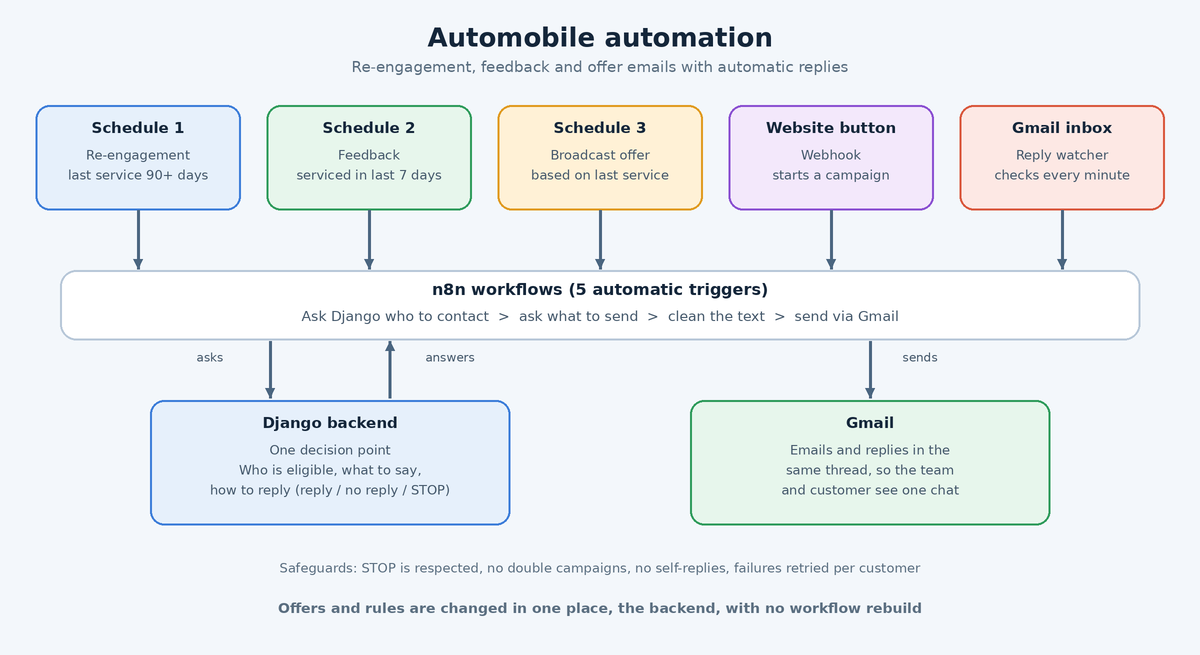
Automobile Automation with n8n and Gmail
Most repeat customers are lost to silence, not to bad service. An n8n workflow can email customers after 90 days, ask for feedback after a…
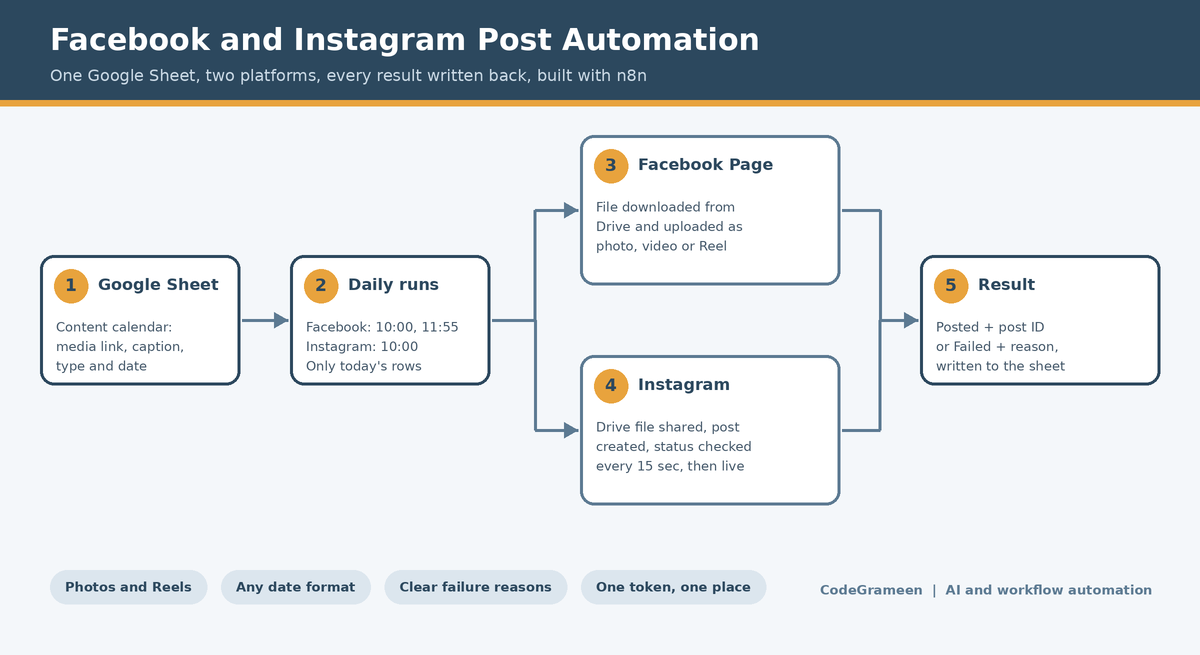
Facebook and Instagram Post Automation with n8n and Google Sheets
One free day can fill your Google Sheet with the next 15 or 30 days of posts. n8n workflows then publish your photos, videos and Reels to …
BizPost Wiz for Social Media Content: Who Needs It and Who Doesn't
Start from your business details and a topic, not a blank page. BizPost Wiz creates captions for Instagram, Facebook and LinkedIn, plus im…